
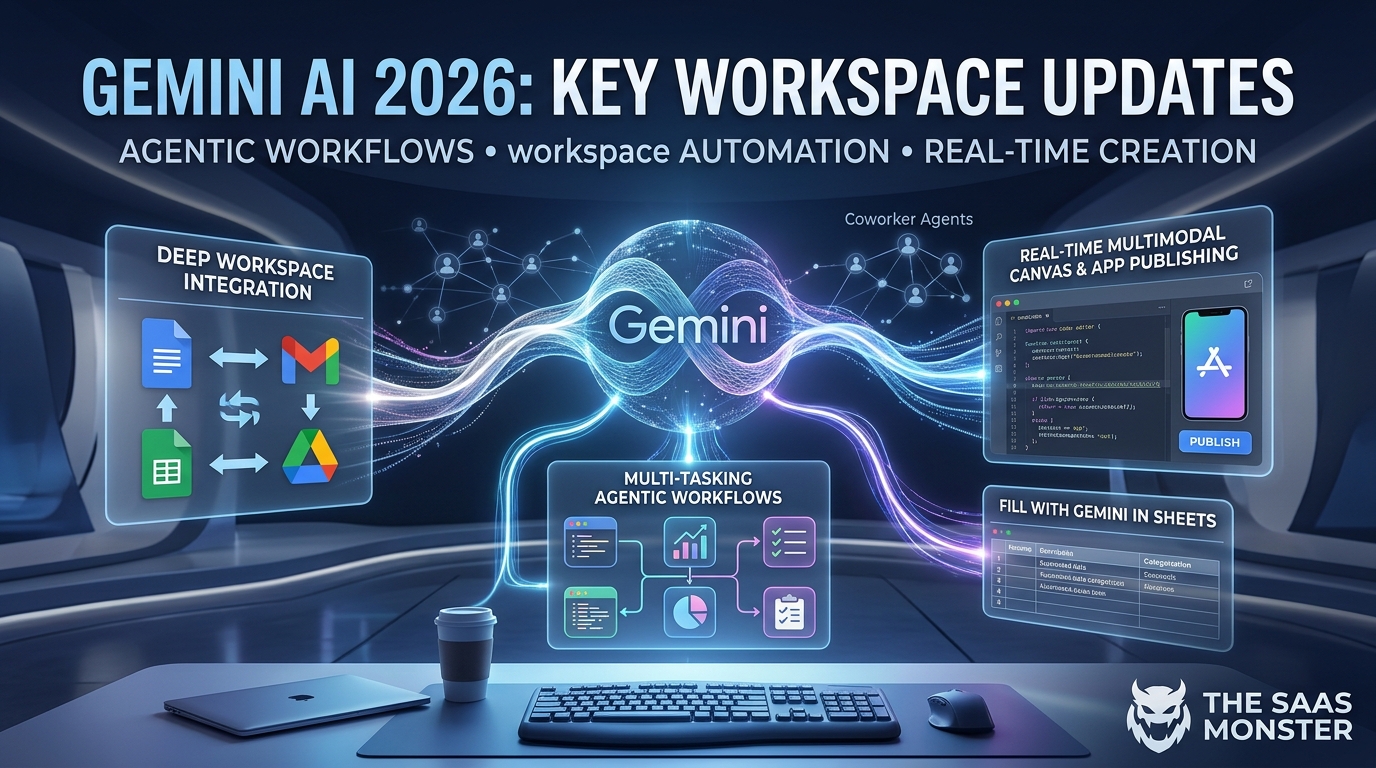
Artificial Intelligence is progressing at a historic pace, and Google Gemini’s 2026 updates mark one of the most significant shifts in modern productivity software. Moving far beyond basic conversational AI, Gemini has evolved into a deeply integrated, autonomous digital co-pilot natively built into the software tools millions of teams rely on daily.
For SaaS enthusiasts, developers, and digital creators, these late-2026 updates streamline administrative overhead and accelerate technical execution across the entire Google ecosystem. Below is a complete breakdown of the game-changing features now driving workplace performance.
1. Multi-Tasking Deep Thinker & Agentic Workflows
One of Gemini’s standout developments is its enhanced multi-tasking and logical reasoning engine. Rather than treating user requests as isolated text exchanges, Gemini operates as a universal agent capable of executing complex multi-step workflows.
-
Objective-Based Execution: You can now provide high-level objectives rather than granular instructions. Gemini breaks down goals into logical sub-tasks and executes them sequentially or concurrently.
-
Advanced Code & Data Analysis: From real-time code debugging to analyzing large-scale BigQuery datasets, the model calculates precise logical pathways and generates verifiable reports without manual intervention.
2. Deep Workspace & Cross-App Automation
Google has officially removed the friction between switching tabs and manual copy-pasting. Gemini now sits inline across Google Docs, Sheets, Drive, Slides, Gmail, and Calendar, sharing unified operational context across your entire suite.
-
Context-Aware Drafting in Docs & Gmail: Using features like “Help Me Create,” Gemini reads surrounding project history, emails, and drive files to draft polished newsletters, project proposals, or executive updates.
-
Autonomous Inbox Management: Gemini proactively surfaces high-priority emails, summarizes long back-and-forth threads into key takeaways, and drafts structured replies based on your historical writing style.
-
Hands-Free Task Delegation: The AI can detect delegatable requests inside your emails—such as a manager asking for a weekly status slide deck—and offer single-click execution to build the document automatically.
3. Real-Time Multimodal Canvas & Interactive App Publishing
The interactive canvas experience within Gemini bridges the gap between text prompts and dynamic software creation.
-
Live Code & Visual Previewing: Developers and designers can generate full-stack web applications, landing pages, or utility tools and edit code alongside a live interactive preview within the app.
-
One-Click Publishing: Once an application or web dashboard is constructed, users can publish their interactive creation directly to Google Sites or export fully editable code files instantly.
4. Intelligent Data Analysis with “Fill with Gemini”
Data management in Google Sheets has undergone a total transformation. The “Fill with Gemini” feature brings automated intelligence to cell operations without complex formula writing.
-
Automated Categorization: Automatically sort unstructured user feedback, support tickets, or survey notes into structured categories like “Bug Report,” “Feature Request,” or “Praise”.
-
Live Search Integration & Cell Attribution: Query real-time data directly inside spreadsheet cells. Gemini populates figures or descriptions while adding cell-level web source citations for complete accuracy verification.
5. Dedicated Coworker Agents for Teams
For enterprise environments, Google introduced Coworker Agents. Teams can create custom AI personas with dedicated Workspace identities, complete with their own company email, directory presence, and permissions.
Coworker agents can be tagged into Google Chat spaces or tagged in Google Docs comments to suggest edits, draft readiness documents, or answer technical questions—all while acting strictly under their assigned security rules.