
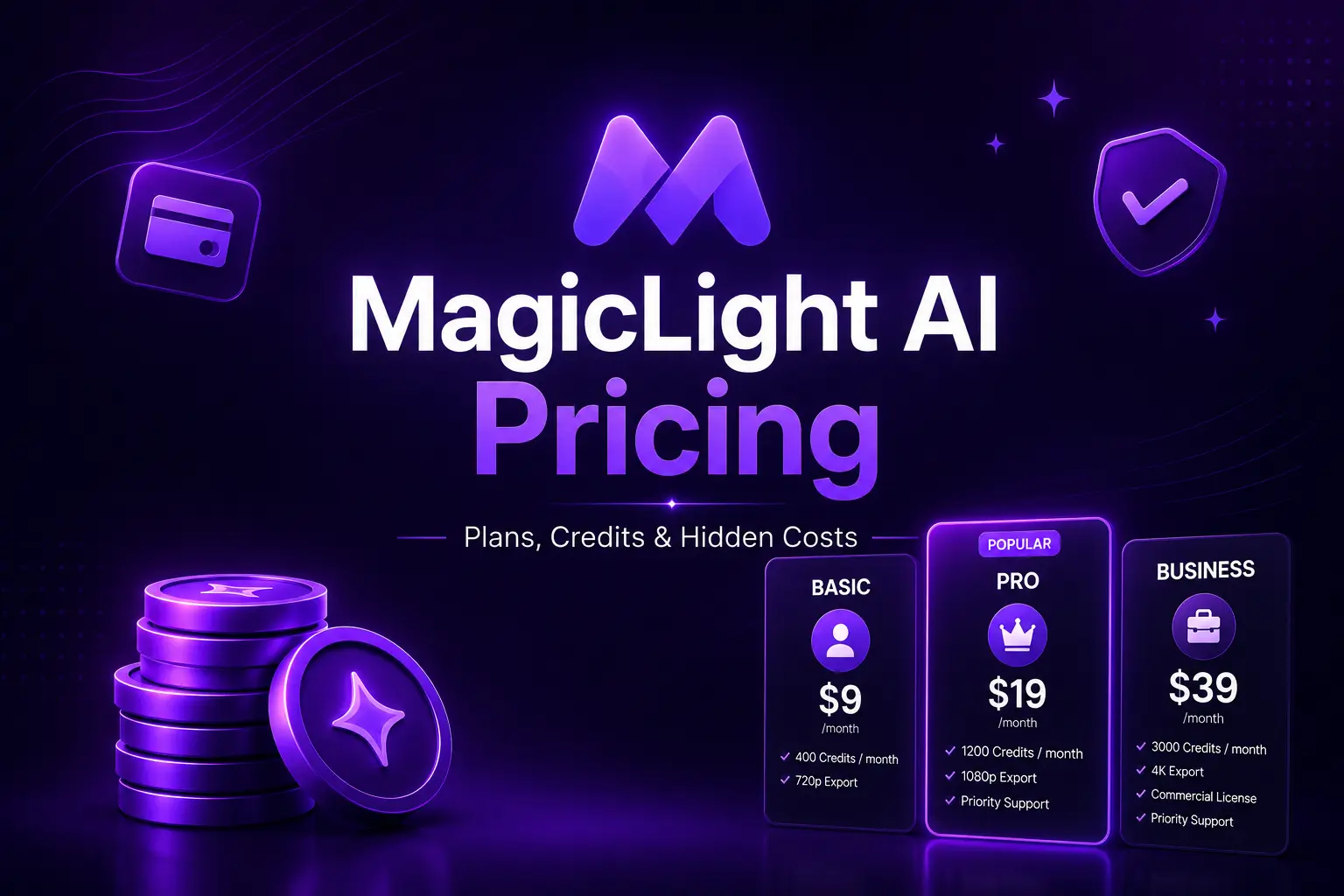
MagicLight AI advertises paid plans starting at an effective $6 per month with annual billing, but that headline price does not tell the whole story.
The platform uses a credit-based system, and the actual value of a subscription depends on several factors:
- How long your videos are.
- How complex your generations are.
- Which AI models and features you use.
- How often you need to regenerate unsatisfactory scenes.
- Whether you need image-to-video generation.
- How much content you produce each month.
There is another issue worth knowing before you subscribe: MagicLight’s own pricing page currently shows conflicting information about monthly credit allocations and plan names in different sections of the same page.
That does not necessarily mean the product is bad, but it does mean buyers should look beyond the headline price and verify exactly what they receive at checkout.
This guide examines the current MagicLight AI pricing structure, available plans, credits, video-generation limits, commercial rights, refund conditions, and potential costs that are easy to overlook.
Quick answer: As of July 10, 2026, MagicLight’s main pricing cards advertise a Free plan alongside Standard at an effective $6/month, Pro at $17.50/month, Ultra at $45/month, and Ultimate at $75/month when billed annually under a displayed 50% promotional discount. The plans include progressively larger monthly credit allowances, but MagicLight’s comparison table displays different credit numbers for some plans, so you should verify the live checkout details before paying.
Affiliate Disclosure
Some links in this article may be affiliate links. If you purchase through one of these links, TheSaaSMonster may earn a commission at no additional cost to you. This does not influence our editorial opinion or the price you pay.
How We Evaluated MagicLight AI Pricing
This is a research-based pricing analysis.
We reviewed:
- MagicLight’s current official pricing page.
- Its plan cards.
- Its detailed comparison table.
- Its FAQ documentation.
- Its credit-system explanation.
- Its refund information.
- Its current Terms of Service.
The pricing information in this guide was checked on July 10, 2026.
Because SaaS pricing, promotional discounts, credits, and plan features can change quickly, always verify the final amount and exact inclusions shown at checkout before purchasing.
MagicLight AI Pricing at a Glance
Based on the main plan cards currently displayed by MagicLight, the annual-billing pricing structure is:
| Plan | Effective monthly price shown | Annual amount shown | Credits per month shown on main pricing card |
| Free | $0 | $0 | Limited usage |
| Standard | $6/month | $72/year | 7,000 |
| Pro | $17.50/month | $210/year | 45,000 |
| Ultra | $45/month | $540/year | 150,000 |
| Ultimate | $75/month | $900/year | 280,000 |
These prices are displayed alongside a limited-time 50% discount for yearly billing, so they should not be treated as permanently guaranteed prices.
The paid plans also currently advertise features including:
- Up to 50-minute video generation.
- 1080p HD exports.
- No watermark.
- Commercial licensing.
- Character and image regeneration.
- Access to multiple AI models.
- Voice cloning or voice-cloning discounts, depending on the plan.
- Different quantities of story-video, general video, and image-to-video generation.
Important Warning: MagicLight’s Own Pricing Page Contains Conflicting Figures
This is the most important thing to understand before choosing a plan.
MagicLight’s primary pricing cards currently show:
| Plan | Main pricing card credits |
| Standard | 7,000/month |
| Pro | 45,000/month |
| Ultra | 150,000/month |
| Ultimate | 280,000/month |
However, farther down the same pricing page, the detailed plan-comparison table shows:
| Plan name in comparison table | Credits displayed |
| Standard | 8,000 |
| Pro | 47,000 |
| Ultra | 150,000 |
| Max | 220,000 |
The same comparison table uses the name Max rather than Ultimate for the highest tier and shows 220,000 credits rather than the 280,000 displayed on the primary Ultimate plan card.
A Best Video Tool for you i think – Vyond – AI-Powered Video Creation Platform for Business
The estimated numbers of one-click videos also differ.
For example, the primary cards say:
- Standard: up to 10 one-click story videos.
- Pro: up to 80.
- Ultra: up to 250.
- Ultimate: up to 370.
But the comparison section shows:
- Standard: 26.
- Pro: 156.
- Ultra: 500.
- Max: Unlimited.
Our recommendation
Do not rely exclusively on any third-party pricing table—including ours—to make your final purchase decision.
Before paying:
- Open the current checkout page.
- Confirm the plan name.
- Confirm the billing period.
- Confirm the annual charge.
- Confirm the included credits.
- Take a screenshot of the offer if necessary.
- Review the applicable subscription and refund terms.
This is especially important with a credit-based AI tool, because your monthly content capacity depends heavily on the exact number of credits included.
MagicLight AI Free Plan: What Do You Get?
MagicLight currently offers a free option at $0.
The main pricing card lists:
- One character creation.
- Two image regenerations.
- One dynamic conversion.
- Access to ChatGPT 4.
MagicLight also says users can start for free without providing a credit card.
However, its FAQ gives slightly different information, describing the free trial as including limited credits sufficient for approximately one to two video generations, together with access to the full style library, character-consistency features, and basic platform capabilities.
Is the free plan enough?
Probably not for sustained content production.
But it is valuable for testing questions such as:
- Do you like the interface?
- Does MagicLight understand your prompts?
- Does the visual style fit your channel?
- Can it maintain your character’s appearance?
- Is the voice appropriate?
- How much correction does a typical project require?
The free option is best treated as a workflow test, not as a long-term content-production plan.
Best for
- New users.
- Curious creators.
- Testing one content idea.
- Comparing MagicLight with another AI video generator.
MagicLight Standard Plan: $6 Per Month With Annual Billing
The Standard plan is currently displayed at an effective:
$6 per month
with:
$72 billed annually
The primary pricing card advertises:
- 7,000 credits per month.
- Up to 10 one-click story videos.
- Up to 130 minutes of video generation.
- Up to 290 seconds of image-to-video generation.
- Access to listed AI models.
- Up to 50-minute video support.
- Voice cloning.
- Free character and image regeneration.
- 1080p HD export.
- No watermark.
- General commercial license.
Who should choose Standard?
The Standard plan makes the most sense for:
- Beginners.
- Hobby creators.
- People testing a small YouTube channel.
- Creators producing a relatively low number of videos.
- Users who do not need heavy AI generation every week.
Our concern
The jump from a maximum 50-minute supported project length to only 7,000 monthly credits does not necessarily mean you can create many 50-minute videos.
The supported maximum project length and your actual production capacity are different things.
A single complex project can potentially use substantially more resources than several simple projects because MagicLight says credit consumption depends on length, complexity, and resolution.
Verdict on Standard
Best entry-level paid plan, but only after testing how many credits your typical video consumes.
MagicLight Pro Plan: $17.50 Per Month With Annual Billing
The Pro plan is currently shown at an effective:
$17.50 per month
with:
$210 billed annually
The primary pricing card lists:
- 45,000 credits per month.
- Up to 80 one-click story videos.
- Up to 780 minutes of video generation.
- Up to 1,680 seconds of image-to-video generation.
- Access to listed AI models.
- Up to 50-minute video support.
- A 20% discount on voice cloning.
- Free character and image regeneration.
- 1080p HD video.
- No watermark.
- General commercial license.
Why Pro may offer better value
The credit increase is significant.
Based on the main cards:
- Standard gives 7,000 credits for an effective $6/month.
- Pro gives 45,000 credits for an effective $17.50/month.
That means the subscription price increases by less than three times, while the displayed monthly credit allowance increases by more than six times.
MagicLight itself displays the following effective price per 100 credits on its primary plan cards:
- Standard: $0.086.
- Pro: $0.039.
- Ultra: $0.030.
- Ultimate: $0.027.
So, for creators who actually use their credits, Pro appears substantially more cost-efficient than Standard.
Who should choose Pro?
The Pro plan may suit:
- Regular YouTube creators.
- Faceless content publishers.
- Story channels.
- Educational creators.
- Small marketing teams.
- Users creating multiple projects each month.
Verdict on Pro
Potentially the best balance of price and production capacity for serious individual creators, assuming the listed credits match what is presented at checkout.
MagicLight Ultra Plan: $45 Per Month With Annual Billing
The Ultra plan is currently displayed at an effective:
$45 per month
with:
$540 billed annually
The primary pricing card includes:
- 150,000 credits per month.
- Up to 250 one-click story videos.
- Up to 2,500 minutes of video generation.
- Up to 5,360 seconds of image-to-video generation.
- Access to listed premium AI models.
- A 20% discount on foundational models.
- Up to 50-minute video support.
- A 20% voice-cloning discount.
- Free character and image regeneration.
- 1080p HD exports.
- No watermark.
- General commercial license.
MagicLight labels Ultra as its Most Popular plan on the current pricing page.
Who should choose Ultra?
Ultra is better suited to:
- High-output YouTube channels.
- Agencies.
- Production teams.
- Creators operating several channels.
- Users generating substantial amounts of AI video each month.
Should a beginner buy Ultra?
Probably not.
More credits are only valuable when you genuinely use them.
Before moving to Ultra, calculate:
Number of monthly videos × typical credits per completed video = estimated monthly credit requirement.
Do not buy a larger annual subscription simply because the per-credit rate looks better.
Unused capacity is not a saving.
Verdict on Ultra
Better for established, high-volume workflows than casual creators.
MagicLight Ultimate Plan: $75 Per Month With Annual Billing
The highest primary pricing card is currently called Ultimate.
It is displayed at an effective:
$75 per month
with:
$900 billed annually
The main card advertises:
- 280,000 credits per month.
- Up to 370 one-click story videos.
- Up to 3,670 minutes of video generation.
- Up to 7,860 seconds of image-to-video generation.
- Access to multiple premium AI models.
- A 20% discount on foundational models.
- Priority acceleration through a VIP channel.
- Up to 50-minute video support.
- A 20% voice-cloning discount.
- Free character and image regeneration.
- 1080p HD exports.
- No watermark.
- Commercial licensing.
Important inconsistency
The detailed comparison table on the same page refers to the top tier as Max, not Ultimate, and shows 220,000 credits rather than 280,000.
For this reason, anyone considering the highest tier should verify the final plan details carefully before paying.
Who should choose Ultimate?
Potential users include:
- Agencies managing several clients.
- High-volume content studios.
- Creators operating multiple channels.
- Teams running continuous production.
- Users who already understand their normal credit requirements.
Verdict on Ultimate
Potentially cost-efficient at very high production levels, but the current discrepancy between the Ultimate card and Max comparison column should be clarified before purchase.
Which MagicLight Plan Offers the Best Value?
There is no universal answer.
It depends on production volume.
Best for testing: Free
Choose Free when you have never used MagicLight and need to evaluate the workflow.
Best for beginners: Standard
Choose Standard for light use and smaller-scale production.
Best for serious individual creators: Pro
For many regular creators, Pro appears to offer the strongest balance between price and credits.
Based on the primary pricing cards, it significantly improves the effective credit value compared with Standard.
Best for high-volume production: Ultra
Choose Ultra when you already publish frequently enough to justify 150,000 listed monthly credits.
Best for agencies and studios: Ultimate
Consider the highest tier only after calculating actual monthly credit consumption and confirming the live checkout details.
MagicLight AI Plan Comparison
| Feature | Free | Standard | Pro | Ultra | Ultimate |
| Effective annual-billing monthly price | $0 | $6 | $17.50 | $45 | $75 |
| Annual amount shown | $0 | $72 | $210 | $540 | $900 |
| Credits on main card | Limited | 7,000 | 45,000 | 150,000 | 280,000 |
| 50-minute video support | Limited/unclear | Yes | Yes | Yes | Yes |
| 1080p HD | Limited/unclear | Yes | Yes | Yes | Yes |
| No watermark | Limited/unclear | Yes | Yes | Yes | Yes |
| Commercial license | Not listed on pricing card | Yes | Yes | Yes | Yes |
| Best for | Testing | Beginners | Regular creators | High-volume creators | Agencies/studios |
Pricing and features checked on July 10, 2026. MagicLight’s detailed comparison table currently conflicts with some figures shown on its primary pricing cards.
How Do MagicLight Credits Work?
MagicLight uses credits to pay for AI processing.
According to its FAQ, credit consumption varies based on:
- Video length.
- Complexity.
- Resolution.
Simple animations use fewer credits, while more complex and higher-resolution projects require more. MagicLight says credits are consumed once processing begins and that it provides a cost estimate before generation starts.
This means you should not assume:
45,000 credits = exactly X videos for every user.
Your actual results can vary significantly.
Example
Imagine two Pro subscribers.
Creator A
Produces short, simple animated stories with basic visual requirements.
Creator B
Produces long, complex videos, generates multiple versions, and uses more computationally demanding features.
Creator B may consume credits much more quickly.
The headline number of credits is therefore less important than your:
Actual cost per finished, publishable video.
What Happens When AI Output Is Bad?
This is where credit-based AI pricing deserves extra attention.
MagicLight acknowledges that AI generation involves randomness. Its own recommendations for inconsistent results include:
- Retrying a generation.
- Refining prompts.
- Using consistent styles.
- Generating several versions and choosing the best one.
At the same time, MagicLight says credits are consumed when processing begins and used credits cannot be refunded because computational resources are consumed.
The practical implication is that unsuccessful or unsatisfactory generations can potentially increase your effective production cost.
This does not necessarily make MagicLight unusual; generative AI tools frequently use credits or computing allowances.
But creators should budget for experimentation rather than assuming every generation will be publishable.
Are There Hidden Costs With MagicLight AI?
I did not find evidence of a specific undisclosed mandatory fee that should automatically be described as a hidden charge.
However, there are several potential cost traps or easily overlooked expenses.
1. Annual billing commitment
The lowest prominently displayed effective monthly prices are associated with annual billing.
For example:
- Standard: $72 billed annually.
- Pro: $210 billed annually.
- Ultra: $540 billed annually.
- Ultimate: $900 billed annually.
So a displayed “$6/month” price does not necessarily mean you pay just $6 and can walk away after one month.
Always check whether you are selecting monthly or annual billing.
2. Regeneration costs
AI-generated results can be inconsistent, and MagicLight recommends retrying or generating multiple versions when necessary. Because credits are consumed when processing starts, additional generations may increase total credit use. This is an inference from MagicLight’s own generation and credit policies.
3. Voice-cloning differences
The Standard card lists voice cloning, while higher paid tiers advertise a 20% discount on voice cloning rather than necessarily including unlimited use.
Creators who rely heavily on cloned voices should check exactly how that feature is charged before subscribing.
4. Premium or foundational model usage
Ultra and Ultimate advertise a 20% discount on foundational models, while lower tiers have different model access.
The exact cost impact depends on the model and workflow you use.
5. Non-refundable used credits
MagicLight says used credits cannot be refunded once processing begins because server resources have already been consumed.
6. General fees are normally non-refundable
MagicLight’s Terms of Service state that fees are non-refundable unless otherwise specifically provided by its terms.
This is particularly important with annual subscriptions.
Before spending $210, $540, or $900 upfront, make sure you have already tested the platform.
Can You Get a Refund From MagicLight AI?
You should approach payment with the expectation that refunds may be restricted.
MagicLight’s Terms of Service state that all fees are non-refundable unless otherwise specifically provided for in the terms.
Its FAQ separately says used credits cannot be refunded after processing begins because computing resources are immediately consumed.
Before buying, I recommend:
- Use the free access first.
- Test a representative project.
- Read the current checkout terms.
- Confirm the total charge.
- Confirm billing frequency.
- Review cancellation and refund conditions.
- Save a record of the offer you accepted.
Do not assume that cancelling an annual subscription means receiving a prorated refund for unused months.
Does MagicLight Include Commercial Rights?
Current MagicLight pricing cards list a general commercial license across the paid Standard, Pro, Ultra, and Ultimate plans.
Its FAQ also says paid plans include commercial usage rights for uses including:
- Business marketing.
- Educational products.
- Social-media monetization.
- Client work.
- Entertainment content.
However, commercial usage rights do not give you permission to infringe somebody else’s intellectual property.
You remain responsible for the material you upload and use.
How Much Does One MagicLight Video Actually Cost?
This is difficult to calculate universally because credit usage varies.
A better formula is:
Total subscription cost ÷ number of publishable finished videos = effective cost per finished video
For example, imagine paying $17.50 per month on an annualized Pro subscription.
If you create:
- 5 publishable videos: effective subscription cost = $3.50 per finished video.
- 10 publishable videos: $1.75 each.
- 20 publishable videos: $0.875 each.
This simplified example excludes other costs such as:
- Your time.
- Additional editing software.
- Music.
- Thumbnail creation.
- Script research.
- Regeneration-related credit usage.
- Other SaaS tools.
Do not judge value by subscription cost alone.
Judge it by:
How much time and money does MagicLight save compared with your previous production process?
Is MagicLight Standard or Pro Better?
For a casual creator, Standard may be enough.
For a regular content publisher, I would lean toward Pro based on the pricing currently shown.
The main cards list:
- Standard: 7,000 credits for an effective $6/month.
- Pro: 45,000 credits for an effective $17.50/month.
You pay less than three times the monthly amount but receive more than six times the listed credits.
That makes Pro appear much more economical per credit.
However, buy Pro only when your actual production needs justify it.
Is MagicLight Ultra Worth It?
Ultra can make sense when you:
- Produce videos several times per week.
- Run several channels.
- Generate client content.
- Need substantial image-to-video capacity.
- Already know your normal credit consumption.
It is less attractive for beginners who have not yet established a repeatable workflow.
Remember:
The best-value subscription is not the one with the lowest cost per credit. It is the cheapest plan that reliably covers your actual needs.
MagicLight AI Pricing vs the Real Cost of Manual Video Production
A subscription to an AI video generator may appear expensive until compared with manual production.
Traditional video creation may involve paying for:
- Scriptwriting.
- Voice-over artists.
- Animators.
- Editors.
- Stock footage.
- Music licensing.
- Subtitling.
- Graphic design.
An AI tool can potentially consolidate several parts of that workflow.
However, AI does not automatically eliminate human work.
You may still need to:
- Correct factual errors.
- Rewrite scripts.
- Fix pronunciation.
- Regenerate scenes.
- Edit awkward transitions.
- Check character consistency.
- Review every final video.
The correct question is therefore not:
Is $17.50 per month cheap?
It is:
Does this tool reduce my total production cost enough to make the subscription worthwhile?
Who Should Use the Free Plan?
Choose Free when:
- You have never tried MagicLight.
- You want to evaluate character consistency.
- You are comparing multiple AI tools.
- You have not yet started publishing videos.
Who Should Use Standard?
Choose Standard when:
- You are a beginner.
- You create occasionally.
- Your videos are relatively simple.
- You want a low-cost paid entry point.
Who Should Use Pro?
Choose Pro when:
- You publish regularly.
- You operate a faceless YouTube channel.
- You create educational or story content.
- Standard’s credit allowance is too restrictive.
- You want stronger value per credit.
Who Should Use Ultra?
Choose Ultra when:
- You have a proven content workflow.
- You produce frequently.
- You run multiple projects or channels.
- You need substantially more monthly capacity.
Who Should Use Ultimate?
Consider Ultimate when:
- You run an agency or production studio.
- You produce at substantial scale.
- You can justify hundreds of thousands of monthly credits.
- Faster priority processing matters to your business.
Before buying, clarify the discrepancy between the Ultimate card and the Max column shown in MagicLight’s comparison table.
How to Choose the Right MagicLight Plan
Use this simple process.
Step 1: Start free
Never commit to an annual plan before testing your real content format.
Step 2: Create a representative project
Do not test with a random prompt.
Create something similar to your actual planned videos.
Step 3: Measure credit usage
Record:
- Credits before generation.
- Credits after generation.
- Number of failed attempts.
- Number of regenerations.
- Finished video length.
Step 4: Calculate monthly needs
Use:
Average credits per finished video × planned monthly videos.
Step 5: Add a safety margin
AI output can require multiple attempts.
Do not choose a plan that covers your estimate with zero room for experimentation.
Step 6: Check the live checkout page
Because MagicLight’s public pricing page currently has conflicting figures, verify exactly what the checkout page promises before purchasing.
MagicLight AI Pricing: Pros and Cons
Pricing pros
- Free access is available.
- No credit card is required to start, according to the pricing page.
- Multiple paid tiers serve different production volumes.
- Higher plans offer better displayed cost per 100 credits.
- Paid tiers include commercial licensing.
- Paid tiers advertise 1080p HD and no watermark.
- Pro appears to offer a substantial credit increase over Standard.
Pricing cons
- Credit-based usage makes costs harder to predict.
- Poor AI generations can lead to additional attempts.
- Used credits are non-refundable once processing begins.
- The cheapest displayed monthly rates require annual billing.
- The current pricing page contains conflicting credit allocations.
- The highest tier is called Ultimate in one section and Max in another.
- Voice cloning and premium model costs may require closer checking depending on your workflow.
Our Verdict: Is MagicLight AI Good Value for Money?
MagicLight’s pricing can offer good value for creators who genuinely need automated long-form storytelling and regularly produce enough video content to justify the subscription.
The strongest value appears to be in the Pro tier for serious individual creators, based on its currently displayed relationship between price and included credits.
The Standard plan is more appropriate for light users.
Ultra and Ultimate are better suited to creators, agencies, and production teams with established high-volume workflows.
You can Visit – Magic Light AI vs InVideo AI
However, I would not recommend buying an annual plan blindly.
There are three reasons:
- AI results can vary.
- Credit consumption depends on the project.
- MagicLight’s current pricing page contains inconsistencies about credit allocations and top-tier plan naming.
My recommendation is therefore simple:
Start free. Create a realistic test video. Measure how many credits and regenerations it requires. Then choose the smallest plan that comfortably covers your actual monthly production needs.
Frequently Asked Questions
How much does MagicLight AI cost?
As of July 10, 2026, MagicLight’s main pricing cards display a free plan plus annual-billing promotional prices equivalent to $6/month for Standard, $17.50/month for Pro, $45/month for Ultra, and $75/month for Ultimate.
Is MagicLight AI free?
Yes. MagicLight currently offers free access, and its pricing page says no credit card is required to start.
How many credits does MagicLight Standard include?
The main Standard pricing card currently shows 7,000 credits per month, but the detailed comparison table on the same page shows 8,000. Verify the exact amount at checkout before subscribing.
How many credits does MagicLight Pro include?
The main Pro card displays 45,000 monthly credits, while the comparison table shows 47,000.
What is the best MagicLight AI plan?
For many regular individual creators, Pro may provide the strongest balance of price and monthly credits. Beginners may prefer Standard, while high-volume creators and agencies may need Ultra or Ultimate.
Can I cancel MagicLight AI?
The current pricing page includes a FAQ prompt about cancelling, but the publicly extracted text did not provide a full cancellation answer. Review the current account and checkout terms before purchasing.
Does MagicLight AI refund unused credits?
MagicLight’s FAQ states that used credits cannot be refunded once processing begins because computational resources are consumed.
Are MagicLight subscription fees refundable?
MagicLight’s Terms state that fees are non-refundable unless otherwise specifically provided in those terms.
Does MagicLight include commercial rights?
Yes. Current paid plan cards advertise a general commercial license, and the FAQ states that paid plans include commercial usage rights.
Does MagicLight charge extra for failed generations?
MagicLight says credits are consumed when processing begins and that AI results can vary. Therefore, additional attempts or regenerations may increase total credit use. This is an inference based on MagicLight’s published credit and generation policies.
Is annual billing cheaper?
The current pricing page prominently advertises a limited-time 50% discount for yearly billing. Promotional pricing can change.
Editor’s Update History
July 18, 2026: Complete pricing analysis published. Checked MagicLight’s current pricing cards, plan comparison table, credits, annual charges, free access, commercial licensing, credit policy, refund language, and pricing discrepancies.
Not sure which MagicLight plan to choose?
Start with the free version and create the type of video you actually plan to publish. Measure credit consumption, regeneration needs, and final video quality before committing to an annual paid plan.
